
FLUX 2 Pro – Photoreal Images and Precise Edits with FLUX.2 [pro]
flux-3image is an independent web app that lets you generate and edit photoreal images with Black Forest Labs' FLUX.2 [pro] model, with no API key or setup.
Powered by FLUX · Not affiliated with Black Forest Labs
Photoreal images and multi-reference edits.

What is FLUX 2 Pro?
FLUX.2 [pro] is the production model in Black Forest Labs' FLUX.2 family, and the one BFL recommends as its default for both generation and editing. It turns a text prompt into a photoreal image, or edits an existing image while keeping the parts you don't mention. It accepts several reference images and hex color codes.
Compared with FLUX.2 [max], FLUX 2 Pro costs fewer credits and is quicker, with somewhat less fine detail. Compared with [flex], it is less specialized in lettering but better suited to photographs. That balance is why most product and marketing work on flux-3image runs on FLUX.2 [pro].
- Model
- FLUX.2 [pro] by Black Forest Labs, called through the fal API
- Modes
- Text to image, and editing with 1 to 8 reference images
- Output size
- 1K or 2K; 8 aspect ratios from 21:9 to 9:16
- Waiting
- Results usually arrive while you stay on the page; edits and 2K take longer
- Credits per image
- 1K: 3 · 2K: 10
- Commercial use
- Allowed for all users, per our Terms
- What it can't do
- No 4K output, no masks or painted selections, no model download
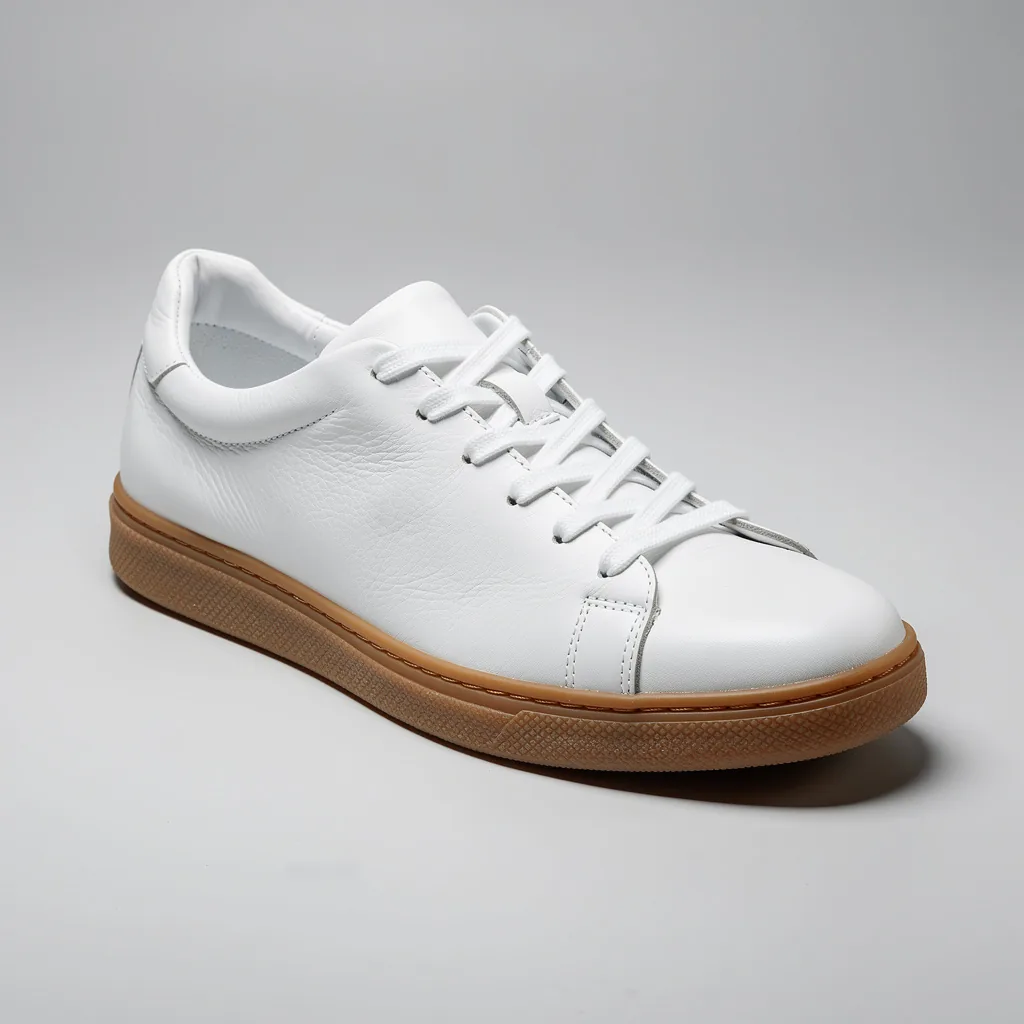
Studio product shots from a text prompt
This sneaker came from one prompt: a plain white leather sneaker with a gum sole, plain pale grey background, soft shadow, three-quarter view, no logos. The model got the stitching, the grain of the leather and the soft contact shadow right at 1K.
For catalog-style images, spell out four things: the product and its materials, the background, the camera angle and the shadow. Add "no logos or text" when you want a clean, unbranded mockup.
- Studio light
- Clean background
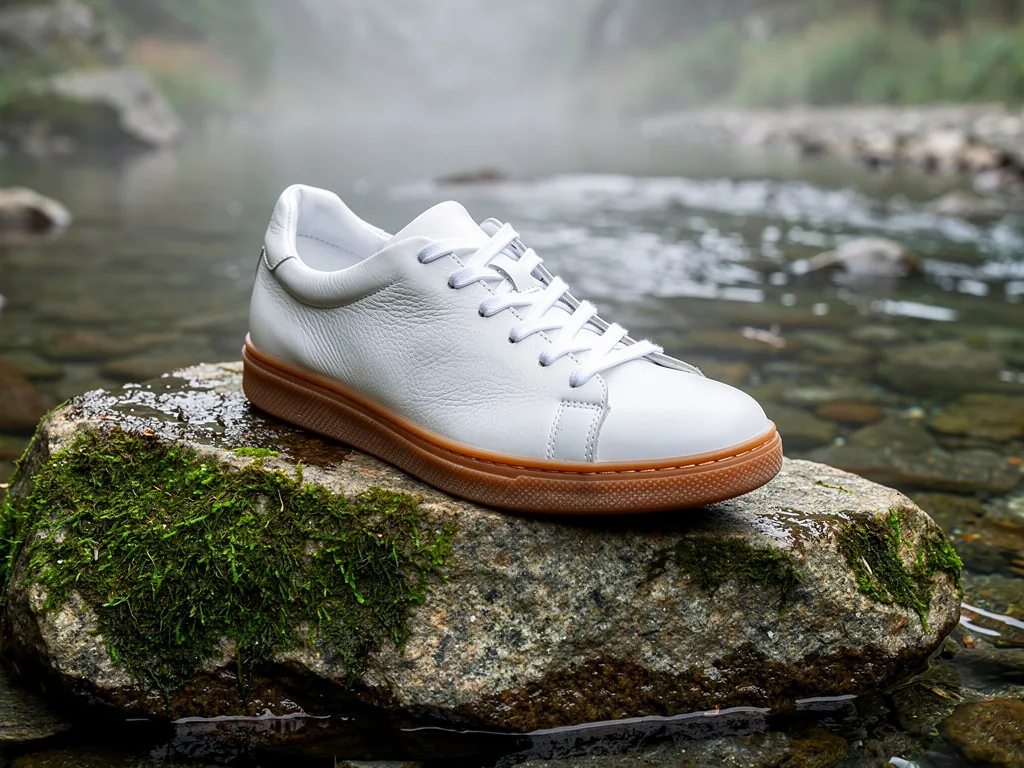
Put the same product in a new scene
Next, we gave the model the studio shot as image 1. The prompt said to place the sneaker on a mossy granite rock beside a mountain stream in early morning mist, and to keep the shoe's shape, leather, sole and laces identical. The shoe carried over intact, and the lighting on it now matches the misty scene.
This is the most common FLUX.2 [pro] job: one clean product photo, many lifestyle settings. With 8 reference slots you can also add a second product, a model's outfit or a background plate, then say what each image contributes.
- Same product
- Reference image

Edits that leave the rest of the image alone
The same model also edits existing images. We started with this vase, generated with a hex gradient from #0B6E4F to #F2C14E. Then we asked it to swap the tulips for dried pampas grass and recolor the vase from #3A2E5C to #E07A5F, with the sideboard, wall and light kept as they were.
- Named object
- Rest stays put
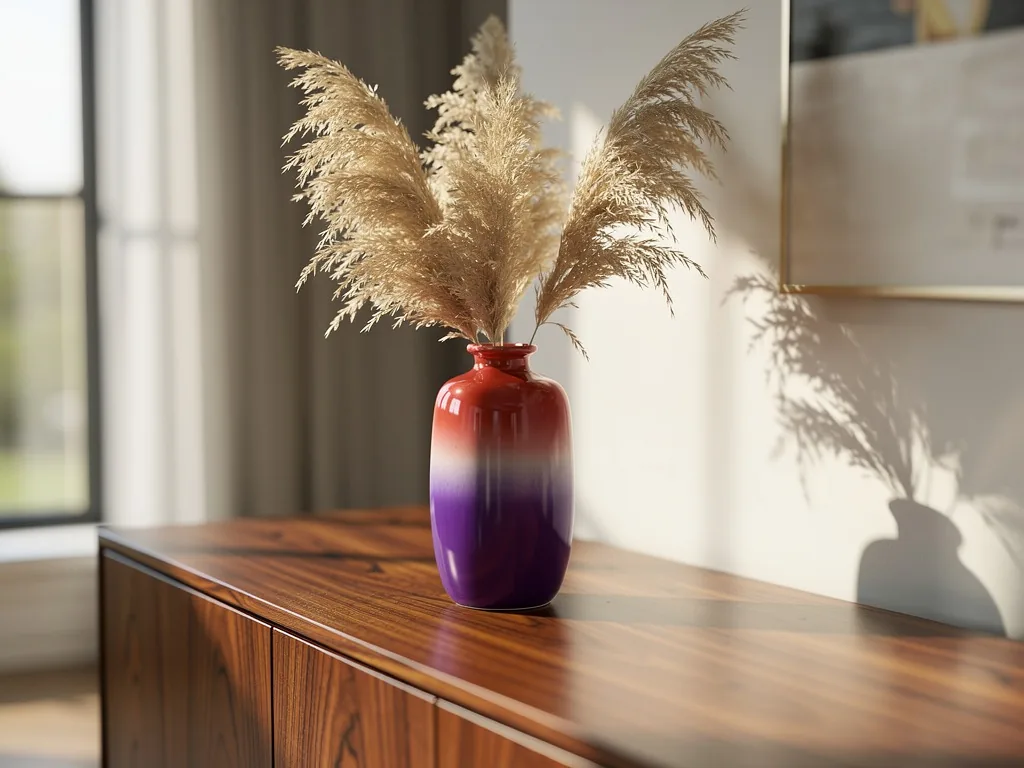
Hex-code colors that land where you ask
The vase took both new hex colors, the tulips became pampas grass, and the sideboard, shadows and window light stayed put. The model kept the change on the object we named, with nothing else recolored.
Use this for packaging and colorway variations, where the product has to match an exact shade and nothing else in the photo should move.
- Exact shades
- Brand colors
FLUX 2 Pro compared with the rest of FLUX.2
FLUX.2 [pro]
- Strength
- Photoreal products and scenes, precise edits
- References
- 1–8
- Credits at 1K
- 3
- Typical use
- Catalog and marketing images
FLUX.2 [flex]
- Strength
- Typography and small details
- References
- 1–8
- Credits at 1K
- 5
- Typical use
- Posters, labels, menus
FLUX.2 [max]
- Strength
- Finest detail, hardest edits
- References
- 1–8
- Credits at 1K
- 6
- Typical use
- Hero images, dense scenes
All three output 1K or 2K. For 4K output or 10 references, use FLUX 3 Image. The FLUX 2 overview covers the whole family.
How to use FLUX 2 Pro
- 1
Choose FLUX.2 [pro] in the model menu.
- 2
Upload references if you're editing or combining: the product first, then a scene, a second product or a style example.
- 3
Write the prompt
Say what each image contributes ("the sneaker from image 1"), what changes, and what must stay the same. Add hex codes for exact colors.
- 4
Pick 1K for testing and 2K for finals, plus an aspect ratio: 1:1 for marketplaces, 4:5 or 9:16 for social, 16:9 for banners.
- 5
Generate, then refine
If a detail drifts, add it to the "keep" list and run again.
Is FLUX 2 Pro free?
FLUX 2 Pro is not free. Each FLUX.2 [pro] image costs credits, because every request is a paid call to Black Forest Labs' model through the fal API. Accounts created on flux-3image with Google sign-in get a few free credits, enough for a first FLUX 2 Pro test before you decide whether to buy a credit pack.
Sites that advertise "FLUX 2 Pro free" usually mean a limited trial of this kind, or a different, smaller model. On flux-3image the model name you pick is the model that runs.
FLUX 2 Pro pricing on flux-3image
FLUX 2 Pro is priced in credits per image: 3 at 1K and 10 at 2K. The cost shows on the Generate button before you click, and failed requests are refunded. Credit packs and plans are listed on the pricing page.
Frequently asked questions
How much does FLUX 2 Pro cost?
- On flux-3image, it costs 3 credits per 1K image and 10 per 2K image. Credits come in packs and plans listed on the pricing page, and accounts created with Google sign-in start with a few free credits.
Is FLUX 2 Pro better than FLUX 2 Max?
- No. FLUX.2 [max] is the larger model, with more fine detail and stronger prompt following. FLUX.2 [pro] costs fewer credits per image and is the practical choice for most product and marketing work.
Can FLUX 2 Pro edit my own photos?
- Yes. Upload a photo you have the rights to use, describe the change and list what should stay the same. The model edits the named parts and keeps the rest of the scene.
How many reference images can FLUX 2 Pro use?
- On flux-3image, it accepts 1 to 8 reference images per request. Refer to them by position, for example "the bag from image 2", and say what each one adds.
Does FLUX 2 Pro support 4K?
- Not here. It outputs 1K or 2K on flux-3image. For 4K output, use FLUX 3 Image, which supports 1K, 2K and 4K.
Updated